

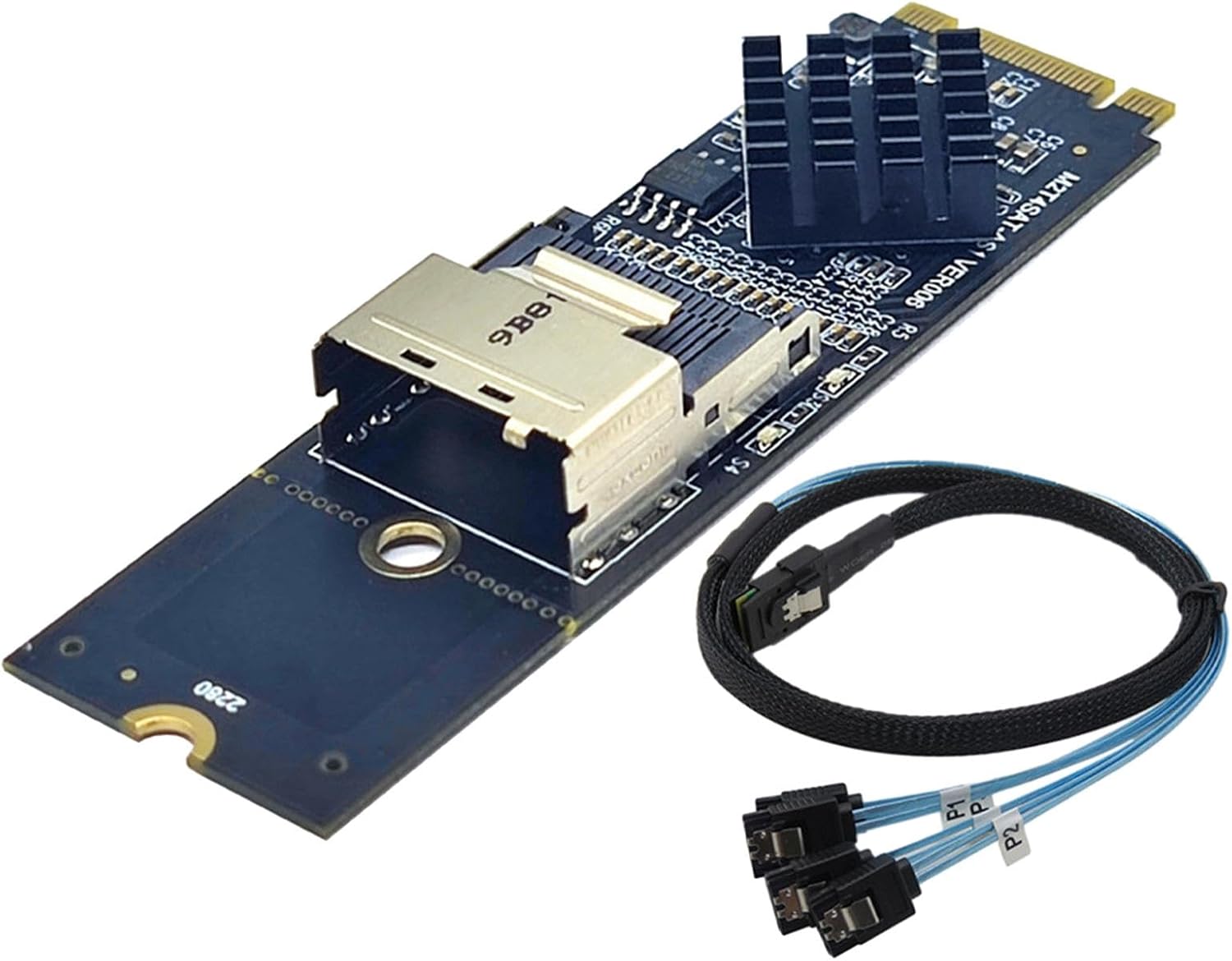
JMT 8 Ports SATA 3.0 to PCIe Expansion Card Adapter Converter with 6 SATA Cables Low Profile Bracket Boot As System Disk for Marvell 88SE9215 Chip with Heat Sink HDD (Only Card)
Product details
| Management number | 228888877 | Release Date | 2026/05/31 | List Price | US$27.42 | Model Number | 228888877 | ||
|---|---|---|---|---|---|---|---|---|---|
| Category | |||||||||
Instruction to use:?connection conditions and solutions? 1,system disk and PCIE to SATA3.0: (1)The SATA interface mode of PCIE to SATA3.0 is AHCI mode.If you want to plug in the system disk on our card,the premise is that your system disk must be installed in AHCI mode when installing the system on the motherboard. (2)If it is determined that the SATA interface installation system of the system disk inserted in the motherboard is AHCI mode,then you can directly insert the hard disk into our card,and then enter the motherboard BIOS to set the system disk as the first boot. (3)the above two conditions are available,if it still can not start, or repeated reboots,then the motherboard's hard disk interface and our adapter card conflict,the solution is to enter the motherboard BIOS,set the motherboard's hard disk interface options to Disabled,save and restart to start the system 2, common disk and PCIE to SATA3.0: (1)When the system disk is plugged into the motherboard,the ordinary disk is inserted in the PCIE to SATA3.0 card, then only the adapter card information and the ordinary disk model need to be detected at startup. (2)if the condition is established,or can not start the system,then you must enter the motherboard BIOS,set the system disk to the first boot. 3, system disk and ordinary disk and PCIE to SATA3.0 : (1),if the system disk with the original motherboard installed system is AHCI mode test,can use the following methods to achieve,if it is IDE mode installed system,then you can only reinstall the system through PCIE to SATA3.0 (2), (1)condition is established,you can not start to enter the motherboard BIOS,set the system disk to the first boot. ((3), (1).(2) conditions are met but not start,then it may be integrated SATA interface conflict,pls enter the motherboard BIOS to set SATA to Disabled
- Compliant with Serial ATA 3.0 specification, backward compatible with SATA2.0 SATA1.0; Compliant with PCI-Express v2.0 specification, backward compatible with PCI-Express v1.0.
- Supports communication speeds of 6.0 Gbps, 3.0 Gbps and 1.5 Gbps; Support Gen 1i, Gen 1x, Gen 2i, Gen 2m, Gen 2x, and Gen 3i; Support 6 SATA
- Support AHCI1.0 mode and IDE mode; Support for native command queue (NCQ); Support FIS based on port multiplier switch or command switching.
- Support hot swap and hot swap;Compatible with SATA6G, 3G and 1.5G hard drives;Bus interface: PCI-Express x1 slot
- System Requirements: One PCI Express X1 slot is available, supporting both PCI-E X2 X4 X8 X16;Operating system: Windows10/8/7 (32/64 bit) / Vista (32/64 bit) / XP/2003/2008/linux
| ASIN | B082NNKS72 |
|---|---|
| Brand | JMT |
| Style Name | Classic |
| Manufacturer | JMT |
| Mfr Part Number | N34440 |
| Operating System | Linux, Windows 10 |
| Compatible Devices | Personal Computer |
| Hardware Interface | PCI |
| Warranty Description | 1 |


Bestseller ranking
SATA Cables


Customers who viewed this product also viewed
Poker






Correction of product information
If you notice any omissions or errors in the product information on this page, please use the correction request form below.
Correction Request Form